


Pulse Tool Overview Tutorial
Nov 3, 2019
1 min read
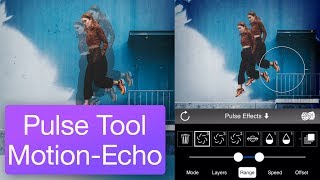
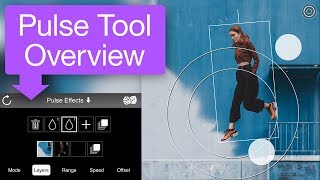
This tutorial is a basic overview of Werble's pulse tool. The pulse tool lets you add animating effects to your layers, whether those layers are still images or even animating overlays. This tutorial shows you how to add and adjust pulse effects, and prepares you for more advanced tutorials.
The Pulse Tool Motion-Echo Tutorial builds on this tutorial to show how multiple pulse effects can be combined for a more complex animation.



The point about the pulse tool working on both still images and animating overlays is what caught my attention, since it suggests the effect can stack on motion that already exists rather than only on static art. Does applying a pulse to an already-animating overlay risk visual clutter, or does the tool offer timing and intensity controls that keep the two motions from competing? I'd be curious how you decide which layer should carry the pulse when several are moving at once.
Useful reference: https://loottoforge.org/
While this intro teases pulse magic on any layer, a hidden powerhouse is pulse's seamless layering with Werble's particle tools—like sparks or fog—for hybrid effects that stun in social reels. Time Duration Calculator